Combine reference photos, motion clips, and audio samples with clickable @Image, @Video, and @Audio tags to direct fresh multi-shot 1080p Magi 2 scenes in any of 6 aspect ratios.
Up to 10 Photos (@Image1–10)Up to 5 Videos (MP4/MOV)Up to 5 Audios (MP3/WAV)
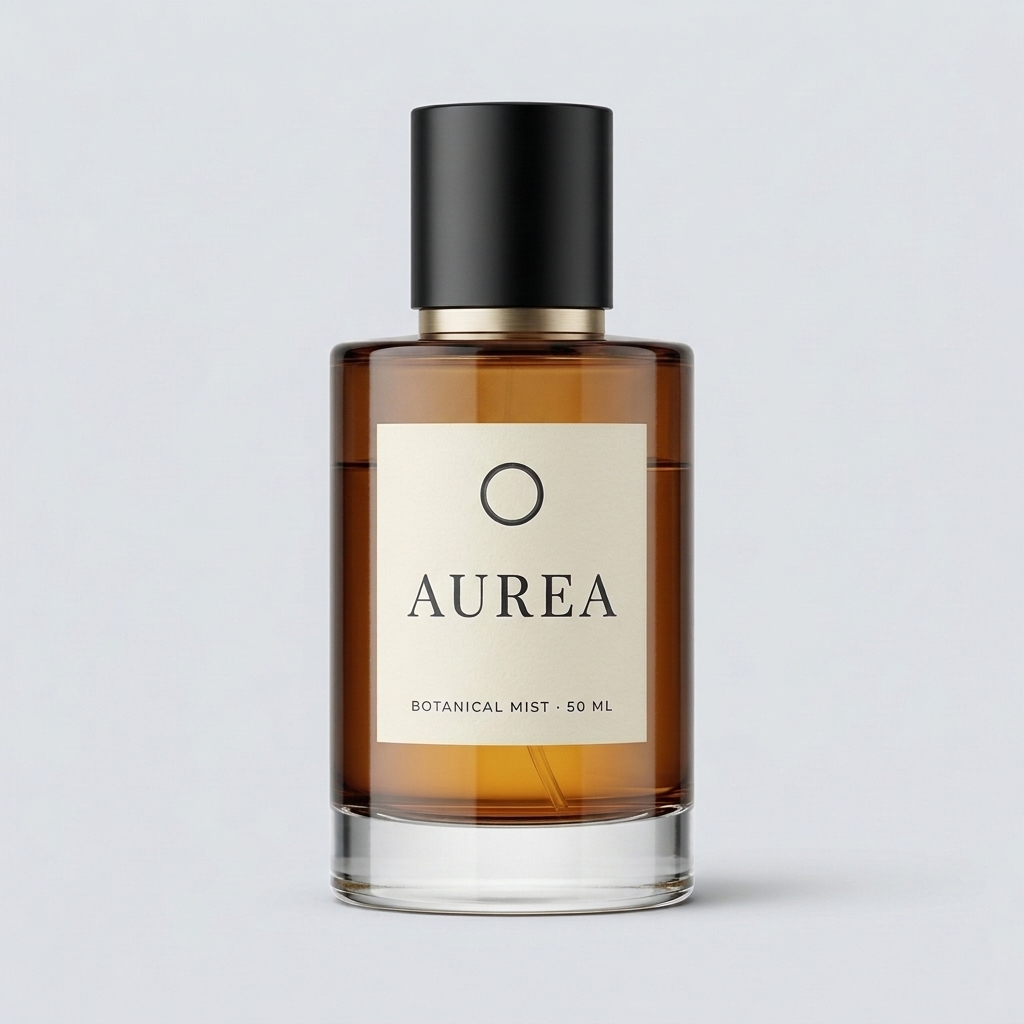
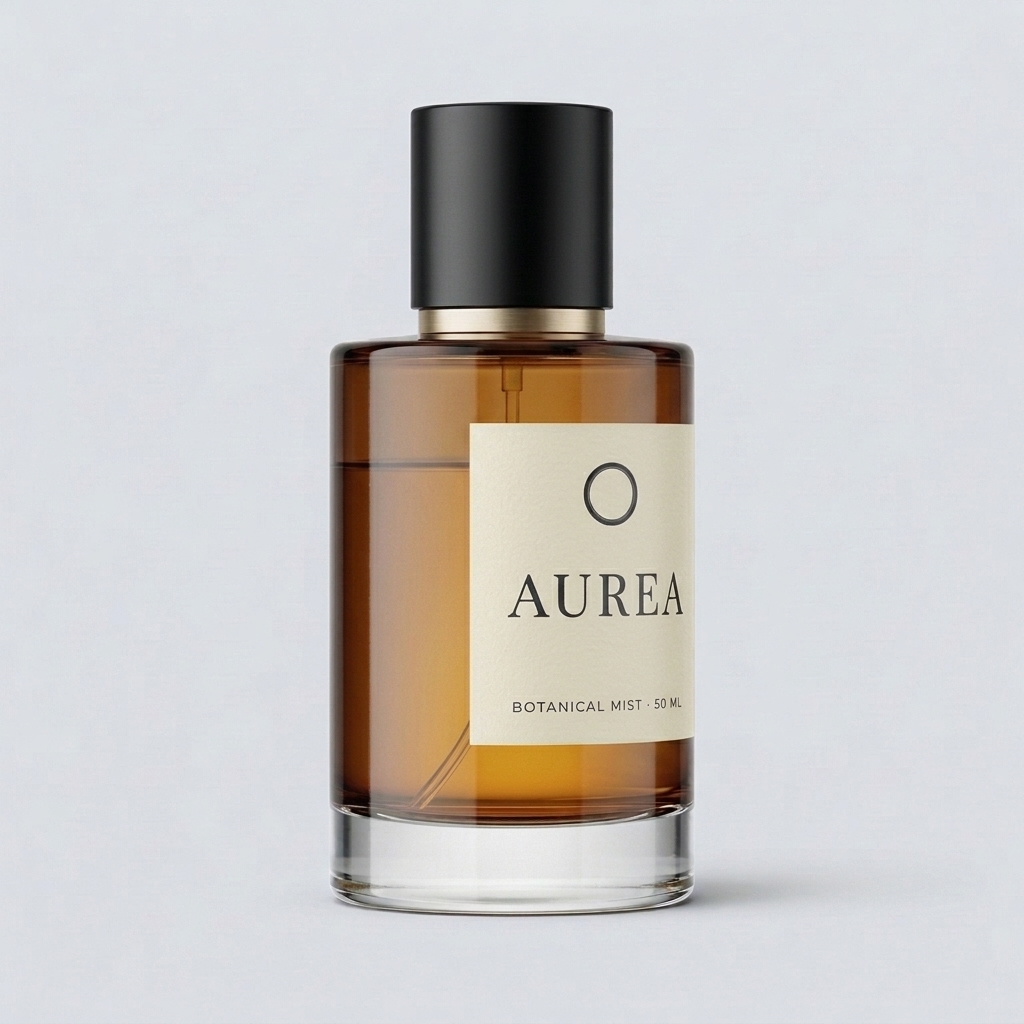
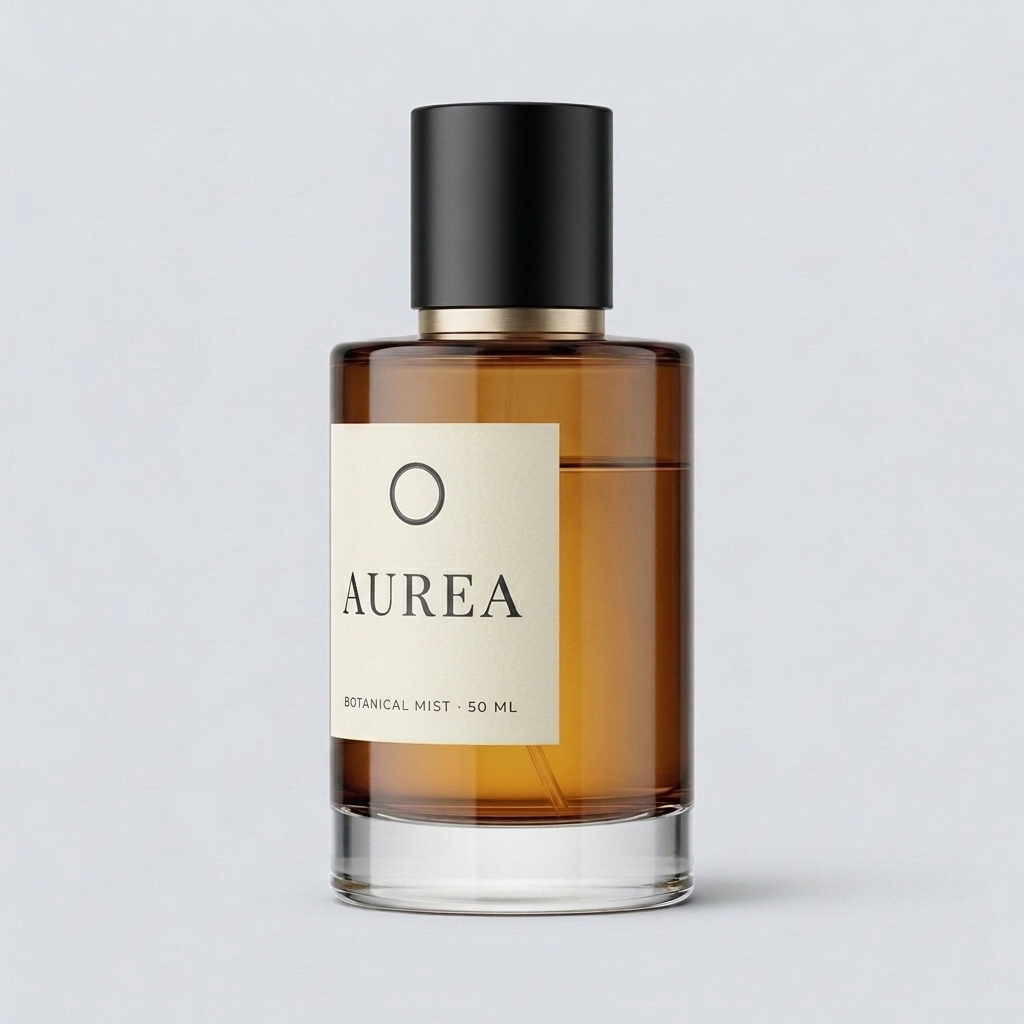
Inputs: 3 Reference Angles↓ Locked into 5 Hard Cuts · 10s
@Image1Front view
@Image2Left 3/4
@Image3Right 3/4
Unedited 10s · 16:9 · 1080p MAGI-2 output locked to the 3 angles above (tap for glass-on-stone tock, light shimmer & mist spray).
View exact 5-shot render prompt (copyable)▾
Exact 10s Multi-Reference Input
ACTIVE REFERENCES: @Image1, @Image2, and @Image3 show the exact same product from three studio angles: straight front (@Image1), front-left three-quarter (@Image2), and front-right three-quarter (@Image3). Reproduce the bottle exactly: heavy cylindrical smoked-amber apothecary glass mist bottle with a thick clear glass base, brushed champagne-gold spray collar, matte black cylindrical cap, and a warm ivory textured cotton label with dark charcoal serif wordmark "AUREA", a minimalist thin circle emblem, and "BOTANICAL MIST · 50 ML" along the bottom. The reference images define only the bottle, not the background.
LABEL LOCK: whenever the label is visible, "AUREA", the circle emblem, and "BOTANICAL MIST · 50 ML" stay razor sharp, correctly spelled, in the exact font, size, and position from @Image1–@Image3; as the bottle turns, the text wraps naturally around the cylinder and never warps, swims, or morphs.
SET AND LIGHTING: the bottle stands on a matte warm travertine limestone plinth curving seamlessly into a sunlit terracotta-to-sand vertical studio gradient backdrop. Soft diffused daylight high screen-left wraps the curved glass; a clean warm backlight makes the amber liquid glow honey-gold; a soft-edged shadow falls diagonally back-right. Clean editorial commercial look, no harsh flashes.
SHOT 1 (0.0–3.0s) HERO ORBIT: ~35° lens at T2.8 on a motion-control rig 1 m away; the bottle fills ~60% of frame height with the label fully readable; camera orbits smoothly right ~15°. Sound: faint airy camera-rig whoosh, quiet studio room tone.
SHOT 2 (3.0–4.3s) HARD CUT, low macro on the thick glass base: the bottle descends the final 2 cm and settles firmly onto the travertine stone at 3.5s. Sound: one solid, resonant "tock" of heavy glass on stone exactly at 3.5s.
SHOT 3 (4.3–5.6s) HARD CUT, extreme macro along the amber glass wall: a soft band of warm sunlight glides left to right across the surface while a few fine micro-bubbles drift upward inside. Sound: delicate crystalline shimmer synced to the gliding light.
SHOT 4 (5.6–7.0s) HARD CUT, backlit macro of the brushed-gold spray nozzle (cap off): at 6.0s the nozzle depresses once and an ultra-fine luminous mist fans out toward screen-left in one crisp puff, sunlit droplets suspended in the backlight. Sound: a crisp "psst" spray burst at 6.0s with a soft airy hiss tail.
SHOT 5 (7.0–10.0s) HARD CUT, back to hero orbit with cap on, opening straight front matching @Image1 and continuing a smooth orbit right to end on the front-right three-quarter matching @Image3 at 10.0s with gentle ease-out; label razor sharp throughout. Sound: subtle warm room tone settling cleanly. No speech, no music.
PHYSICS: heavy glass weight, never wobbles; limestone shadow stays anchored and shifts smoothly with camera angle; liquid horizon stays level; mist disperses gently as fine vapor, never falls like heavy rain.
Shot-by-Shot Breakdown
How Focused Tags Hold Continuity Across Hard Cuts
AUREA 10s Beat Map · 100 cr
5 Synchronized Commercial Cuts from 3 Angles
00:00 – 00:03 · Shot 1Hero Orbit · @Image1
35mm hero orbit right on warm travertine plinth locked to straight-front @Image1 with airy rig whoosh.
Heavy glass base settles with a resonant “tock” @ 3.5s → amber micro-bubbles shimmer → backlit mist “psst” @ 6.0s.
00:07 – 00:10 · Shot 5Hero Finish · @Image3
Returns to hero orbit from @Image1 smoothly onto @Image3 right 3/4 finish with clean room tone and zero music.
Best Practices
2–4 Clean Tags Beat 10 Noisy Uploads
Assign one explicit job per tag: Pair @Image1 (character/product), @Image2 (wardrobe or angle), @Video1 (camera/motion style), and @Audio1 (voice tone or ambience).
Desktop & Phone QR multimodal: Drop, paste, or scan Phone QR to send HEIC/JPG photos, MP4/MOV clips, or MP3/WAV/M4A audio straight from mobile.
Test on 4s first: Verify identity and lip-sync (~2.2 words/sec, one speaking face per beat) on a 4s (40 cr) clip before rendering 15s or 30s.
Up to 10 images (@Image1–@Image10), 5 videos (MP4/MOV), and 5 audios (MP3/WAV/M4A/AAC/OGG/FLAC) per generation; 2–4 clearly assigned roles work best.
Aspect Ratios
All 6 studio ratios selectable: 16:9, 9:16, 1:1, 4:3, 3:4, 21:9.
Output, Audio & Durations
Native 1080p @ 25 fps MP4 with synchronized dialogue & SFX included at 10 cr/sec across 4s (40 cr), 10s (100 cr), 15s (150 cr), and 30s (300 cr).
Upload & 24-Hour Deletion
Upload from desktop (file picker, drag-and-drop, paste) or Phone QR (supports iPhone HEIC, MOV/MP4 video, and M4A/MP3/WAV audio); reference media expires automatically from cloud storage within 24 hours.
Render Wait & Refunds
Typically 2–6 minutes server-side depending on length and queue; closing the tab does not cancel a running job, and technical render failures automatically return credits.
Likeness Consent
Only upload photos, voices, or video clips of yourself, fictional/licensed assets, or consenting adults under our Acceptable Use Policy.
Which reference media types and counts does Multi Reference support?
Magi2Free Multi Reference supports up to 10 reference photos (@Image1–@Image10), up to 5 reference videos (MP4/MOV), and up to 5 reference audio clips (MP3/WAV/M4A/AAC/OGG/FLAC) in one generation. In practice, 2 to 4 clearly assigned references produce cleaner continuity than 10 overlapping uploads.
How is Multi Reference different from Image to Video?
Image to Video locks your literal opening Start Frame and follows that image's aspect ratio. Multi Reference injects recurring subject, wardrobe, product, motion, or audio traits into freshly composed camera angles across all six selectable aspect ratios (16:9, 9:16, 1:1, 4:3, 3:4, and 21:9).
Can I direct 15–30 second multi-shot dialogue scenes with reference characters?
Yes—Multi Reference supports all four studio presets: 4s (40 cr), 10s (100 cr), 15s (150 cr), and 30s (300 cr) at 10 credits/sec in native 1080p @ 25 fps with Native Audio included. Split 15–30s scripts into 4–6 second timestamped beats with one speaking character framed clearly per spoken cut (~2.2 words/sec).
Are there reference-weighting sliders or limits on how many characters appear at once?
Magi2Free does not expose manual numerical weight sliders—instead, clarity comes from assigning one explicit role per @Image, @Video, or @Audio tag in your prompt. Character identity stays strongest with 1 to 2 main subjects in well-lit close or medium shots; crowded groups or overlapping crosstalk can reduce lip-sync fidelity.
Can I try Multi Reference for free and how long are uploaded media kept?
Yes—eligible new Google accounts receive 40 welcome credits (no credit card required, covering a 4s 1080p clip), and never-expiring one-time packs start at $9.90 (219 cr) on Pricing. Uploaded reference photos, videos, and audio clips are used solely to generate your video and expire automatically from cloud storage within 24 hours.
Magi2 Video Studio
Build your scene in the Magi2 Video Studio
Explore curated prompt examples, prepare Start and End frames locally, and generate 1080p clips with synchronized audio.