Magi 2 Image to Video: Animate Photos with Synced Sound
Upload a Start Frame (and optional End Frame) to bring any photo to life in native 1080p with realistic camera motion, lip‑synced speech, and room sound — preserving your photo’s exact framing with zero cropping.
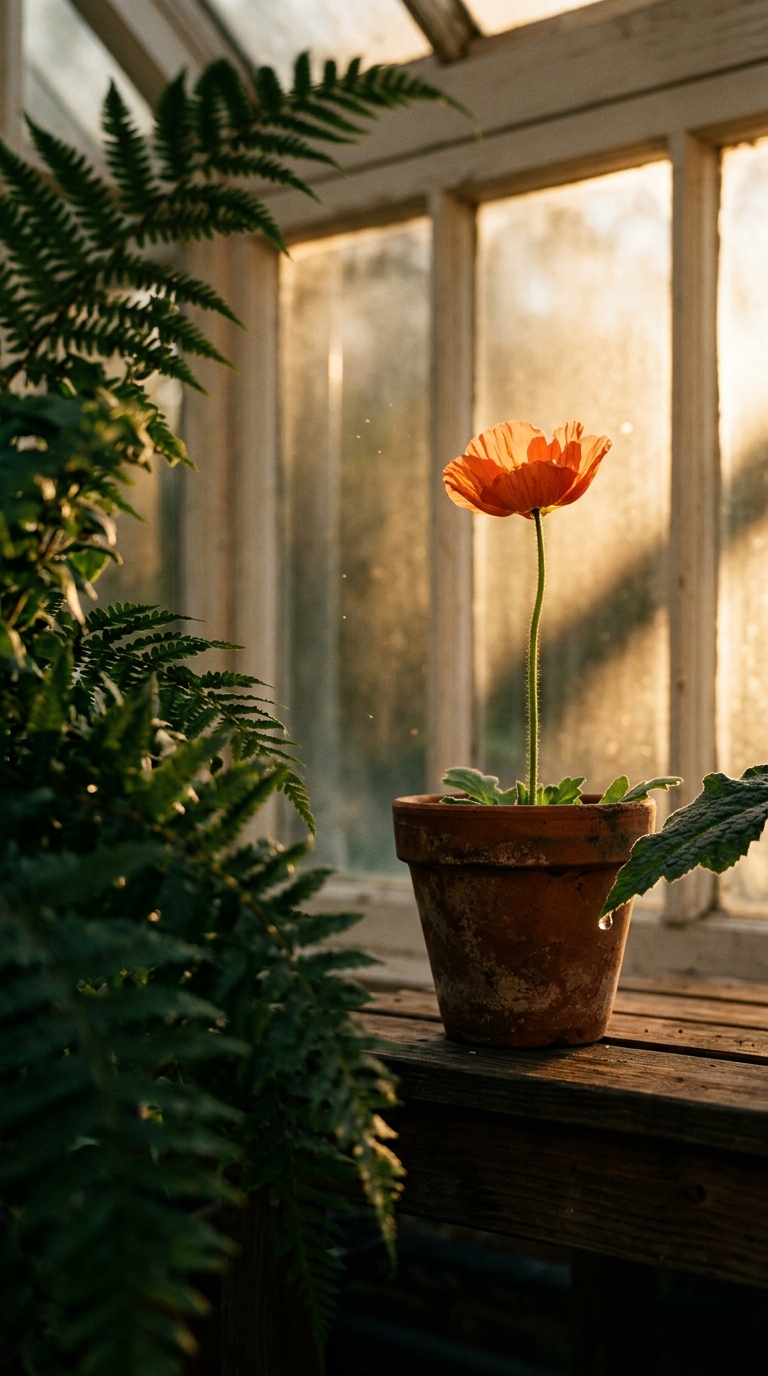
Motion: Smooth lateral track right at bench height as foreground fern fronds glide past the left edge, revealing the backlit orange poppy before settling into a calm 1s hold.
Audio: warm breeze & distant birdsongNo dialogue · No music
View exact 4s render prompt (copyable)▾
Exact MAGI-2 I2V Render Input
From the uploaded start frame, one smooth, unbroken 4-second live-action tracking shot at bench height: the camera glides gently to camera-right as the dark foreground fern fronds slide softly out of the left edge, fully revealing the glowing backlit orange poppy against the sunlit vintage glass panes, then settles into a calm hold for the final second. A light warm breeze stirs the translucent petals and fern tips, tiny golden dust motes drift slowly through the sunbeam, and a single dewdrop trembles along a leaf edge. Audio: quiet sunlit greenhouse ambience only — soft warm breeze brushing leaves, faint distant birdsong outside the glass, a subtle gentle timber creak. No dialogue, no music, no zoom, no cuts, no on-screen text.
Unedited 4s · 9:16 · 1080p MAGI-2 render from the Sunset Conservatory Start Frame (tap video for native greenhouse sound).
Keyframe Bridge
How Start & End Frame Generation Works
Skip re-describing clothing or colors already visible in your opening photo. Spend your prompt on camera movement, physical action, spoken dialogue, and sound cues that bridge Frame 1 to your optional End Frame.
Start → Optional End
Lock Frame 1, Steer to the Final Beat
Start FrameRequired · locks ratio
Motion + Audio →Camera & dialogue
End FrameOptional target
Add photos via file picker, drag-and-drop, desktop paste (Cmd/Ctrl+V), or Phone QR straight from your phone camera roll with no mobile login.
Best results: Same scene, lighting direction, and aspect ratio between Start and End frames (such as a product orbit, a door opening, or a subject turning to speak).
Iterate cheaply first: Use the built-in Swap button to reverse Start and End frames, and test motion on a 4s (40 cr) preset before scaling to 15s or 30s.
Realistic limits: Very fast hand motion, tiny embedded text, or linking two completely unrelated scenes in one End Frame transition can introduce morphing artifacts.
Prompt Rule #1 for Photos
Weak vs. Director Motion Prompts for Image to Video
✕ Re-Describing Static PixelsWastes prompt budget
“A woman wearing a beige trench coat standing on a rainy city sidewalk holding a red umbrella, 4k photorealistic cinematic masterpiece.”
Repeats details already locked inside the Start Frame
From the start frame: Slow 35mm push-in as she tilts the umbrella up, glances toward the lens with a calm smile, and says softly: “Glad you made it before the downpour.” Audio: steady rain tapping fabric, distant passing traffic, clear close voice. No music score.
Focuses 100% on movement, expression change, and exact quoted speech
Matches single-speaker lip-sync pacing (~2.2 words/sec at 25 fps)
Verified Studio Limits
Image to Video Specifications & Privacy
Specification
Magi2Free Live Studio Details
Keyframe Slots
Start Frame (required) + End Frame (optional), with one-click Swap and Replace controls.
Accepted Image Formats
JPG, PNG, WebP, AVIF, GIF (first frame), BMP, plus iPhone HEIC auto-converted locally or via Phone QR.
Local Resize & Privacy
Resized locally in your browser to ≤ 2048 px JPEG (≤ 5 MB) before upload; cloud render frames are sent solely to generate your video and deleted automatically within 24 hours.
Output Specs & Audio
Native 1080p @ 25 fps MP4 matching your Start Frame aspect ratio; Native Audio (lip-sync dialogue, foley SFX, ambience) toggleable On/Off at no extra credit charge.
Durations & Credit Cost
4s (40 cr), 10s (100 cr), 15s (150 cr), 30s (300 cr) at 10 cr/sec (4s minimum; 2s not supported). Start free with 40 welcome credits on Google sign-in, or buy never-expiring one-time packs from $9.90 on Pricing.
Render Wait & Protection
Typically 2–6 minutes server-side depending on length and queue; you can leave the tab and download finished clips in My Creations or Account. Failed renders return credits automatically.
Need recurring characters, products, video clips, or audio references across newly composed angles instead of a literal opening frame? Switch to our Magi 2 Multi-Reference workflow, or study multi-beat audio syntax in the Magi 2 Prompt Guide.
Image to Video Questions
Can I upload both a Start Frame and an End Frame with synchronized audio?
Yes. In Image to Video mode on Magi2Free, your Start Frame is required to anchor the opening composition and aspect ratio, and you can add an optional End Frame to guide where camera framing and lighting arrive by the final second—while Native Audio generates synchronized dialogue, foley SFX, and ambience in the same 1080p render at zero extra credit cost.
How is output aspect ratio handled in Image to Video mode?
Image to Video automatically matches the aspect ratio of your uploaded Start Frame (so portrait, square, and widescreen photos keep their natural framing without forced cropping). If you also upload an End Frame, use the same aspect ratio for smooth transitions.
Which photo formats and upload methods are supported?
Upload JPG, PNG, WebP, AVIF, GIF (first frame), or BMP by file picker, drag-and-drop, desktop clipboard paste (Cmd/Ctrl+V), or Phone QR transfer from your phone (HEIC photos are supported via browser conversion and iOS Safari). Images resize locally to 2048 px or smaller JPEG files under 5 MB, and cloud render frames are deleted automatically within 24 hours.
Can I test Image to Video for free without a credit card, and what does it cost?
Yes—eligible new Google accounts receive 40 welcome credits with no credit card required, covering one 4-second 1080p Image-to-Video clip with native audio. All studio presets run at 10 credits/sec: 4s (40 cr), 10s (100 cr), 15s (150 cr), and 30s (300 cr), with never-expiring one-time packs starting at $9.90 (219 cr).
How long does an Image-to-Video render take and what are realistic End Frame limits?
Cloud 1080p renders typically take about 2 to 6 minutes depending on clip length (4s–30s) and queue load; jobs run on the server and failed renders automatically return credits. End Frame interpolation works best when both frames share the same subject, lighting logic, and aspect ratio—unrelated jump cuts between mismatched photos may morph unnaturally.
Magi2 Video Studio
Build your scene in the Magi2 Video Studio
Explore curated prompt examples, prepare Start and End frames locally, and generate 1080p clips with synchronized audio.